Case Study · Amazon Business · 2025 - Present
I led a multi-team onboarding initiative from a generic setup flow to a guided, AI-assisted system—using research, live product signals, and rapid prototyping to change direction as the evidence changed.
01 - Context
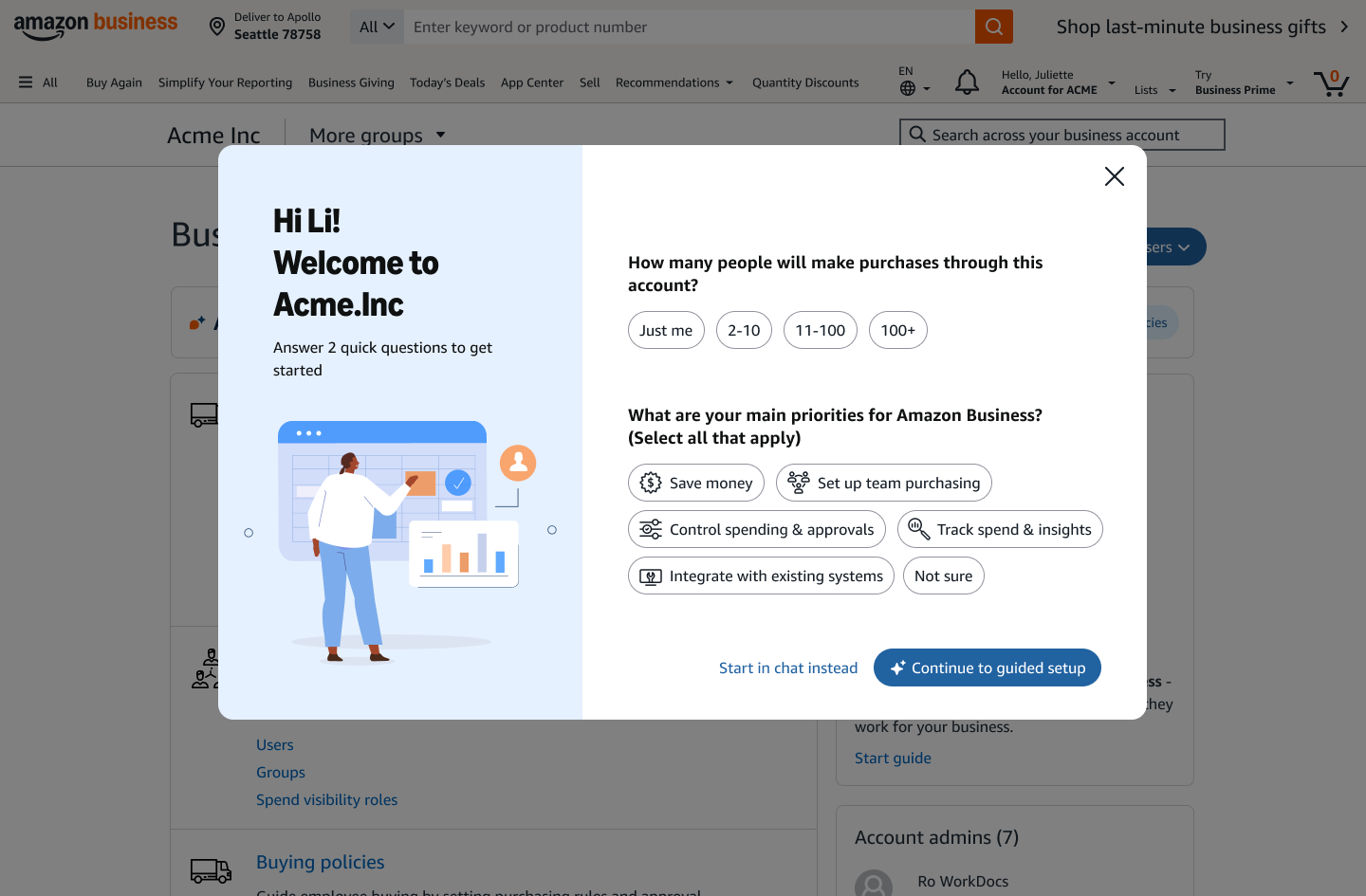
After registration, administrators with very different needs entered essentially the same experience. A solo buyer, a small team, and an enterprise procurement organization all had to discover what mattered, decide what to configure, and find the right path on their own.
The problem wasn’t a lack of features. It was a lack of guidance: little discovery, limited personalization, and no clear path from account creation to a working business setup.

Three admins, one flow
Research across sole proprietors, small teams, and enterprise procurement organizations showed their needs diverged from the very first screen - yet all three met the same generic setup.

What they wantTo set up alone and start buying fast, with no team overhead.
Why one flow failed themIt pushed group creation, role assignment, and invite tracking they'd never use.
What they wantTeam setup with light control - templates for spend limits and approvals, and a way to track invites.
Why one flow failed themNo recommended order and no templates; invite and approval status were hard to see.

What they wantRole-based setup for Buyer / Admin / IT, bulk invites and SSO, and governed policies.
Why one flow failed themSelf-serve couldn't handle bulk, SSO, or governance - and there was no dedicated setup support.
02 - The Arc
The solution changed twice as the evidence changed. I used research, live product behavior, and working prototypes to make the tradeoffs concrete—and keep Product, Engineering, Research, Content, and adjacent teams aligned through each reset.
A single setup flow treated businesses with very different levels of complexity as if they needed the same path.
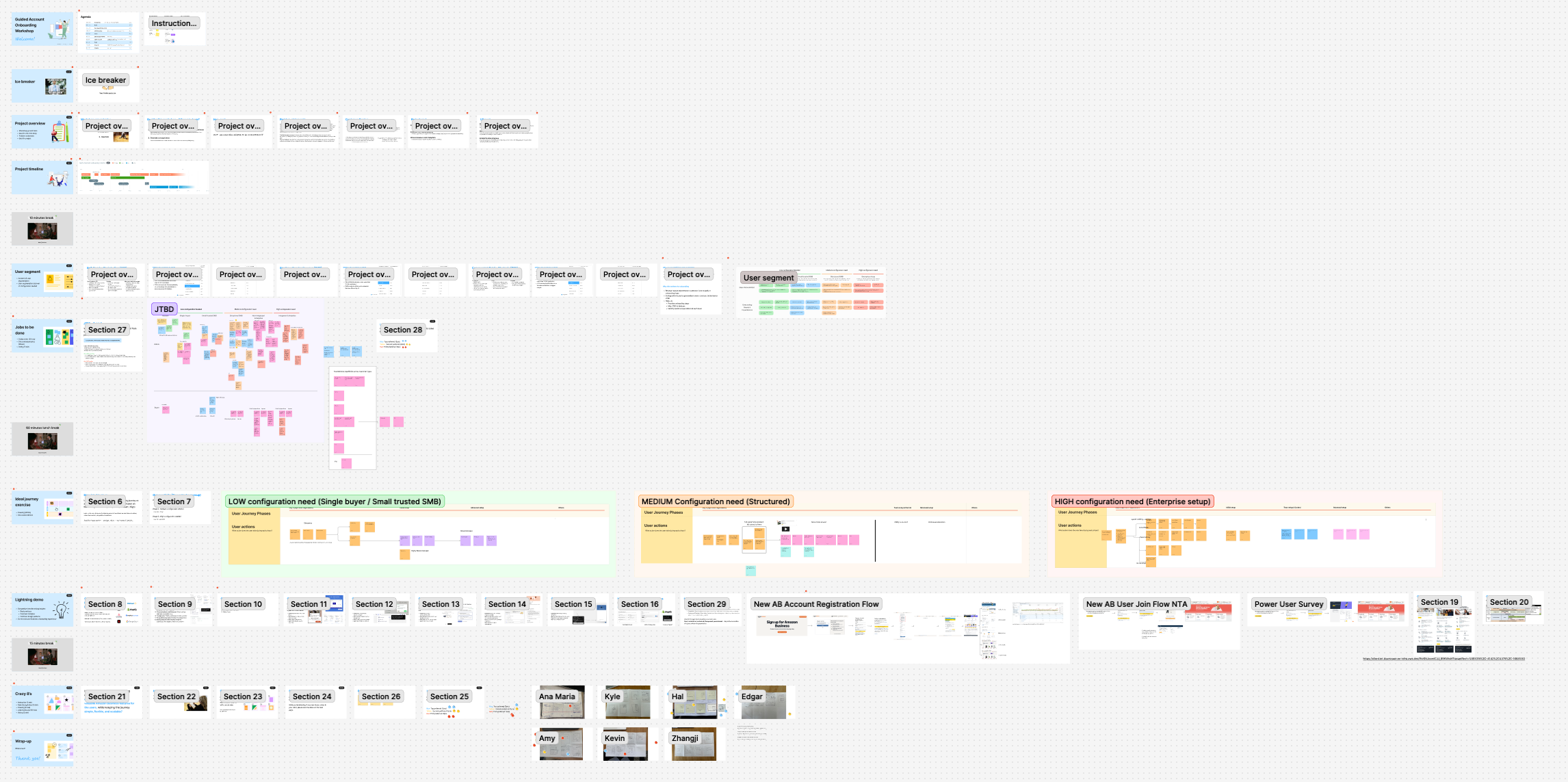
Segment research exposed where the common flow broke down. Through workshops and a concept study, I reframed onboarding around intent and business context before recommending setup - the direction the pivots would build on.
A leadership review set an AI-forward direction. Personalization made the checklist more relevant, but users still had to interpret and execute every step, so I shaped an AI-assisted model that uses known context to draft a setup plan, explain recommendations, and guide configuration.
During setup, customers went to structured, guided screens rather than free-text conversation. With canary behavior, transcript analysis, and a leadership review pointing the same way, I converted the vision into a guided wizard as the near-term path, keeping AI as an assistive layer to add back over time.
The guided wizard is the near-term shipping path. The shared AI framework remains the foundation for adding recommendations, drafting, and approved actions over time.
The ambition stayed the same. The evidence changed what we should build first.
- On the second pivot03 - Foundation
I started by reframing setup around segment, intent, and business context. Instead of giving every admin the same checklist, the experience would first understand what they were trying to accomplish, then recommend a path. That foundation survived both later pivots.
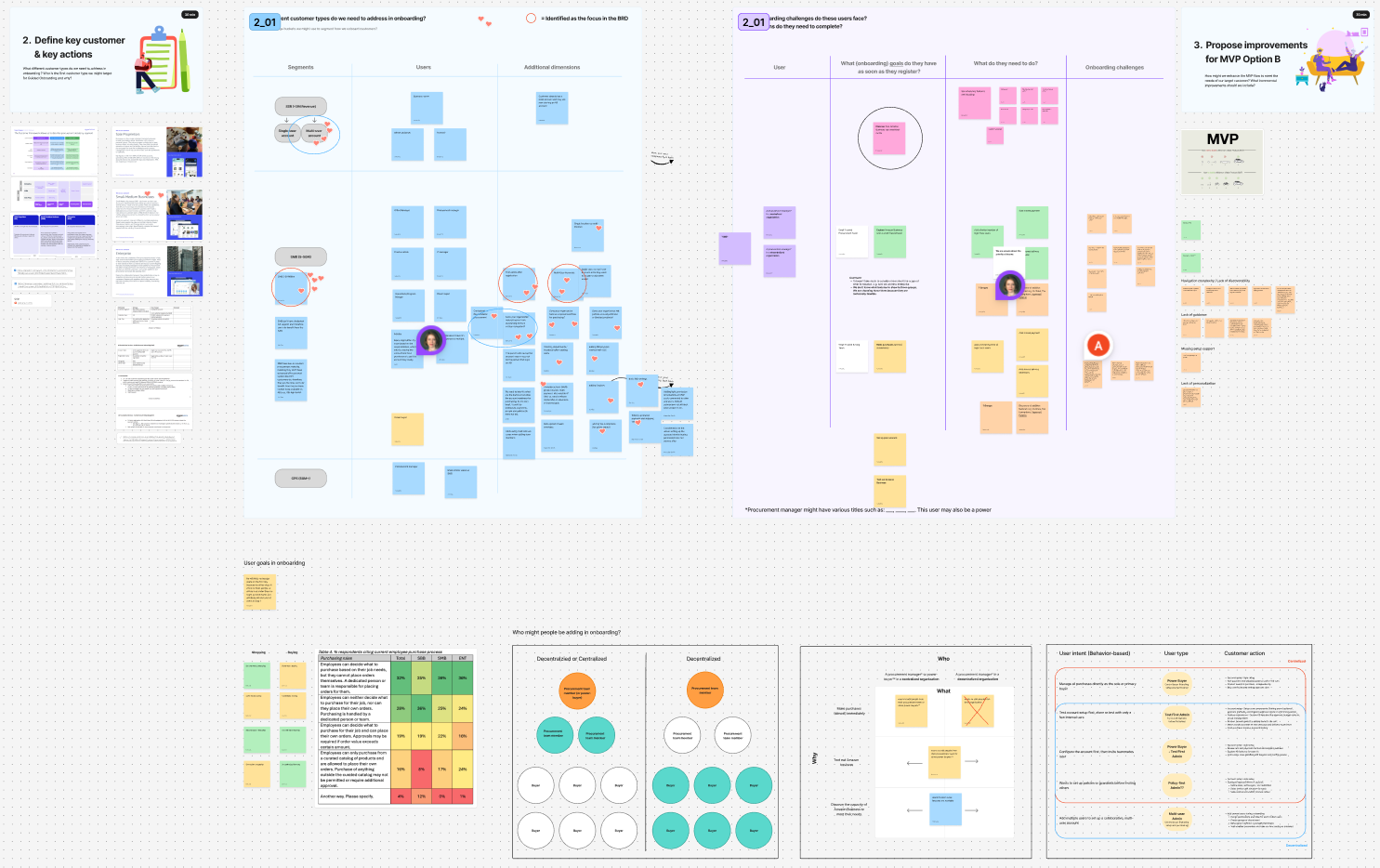
Concept study · segment framing
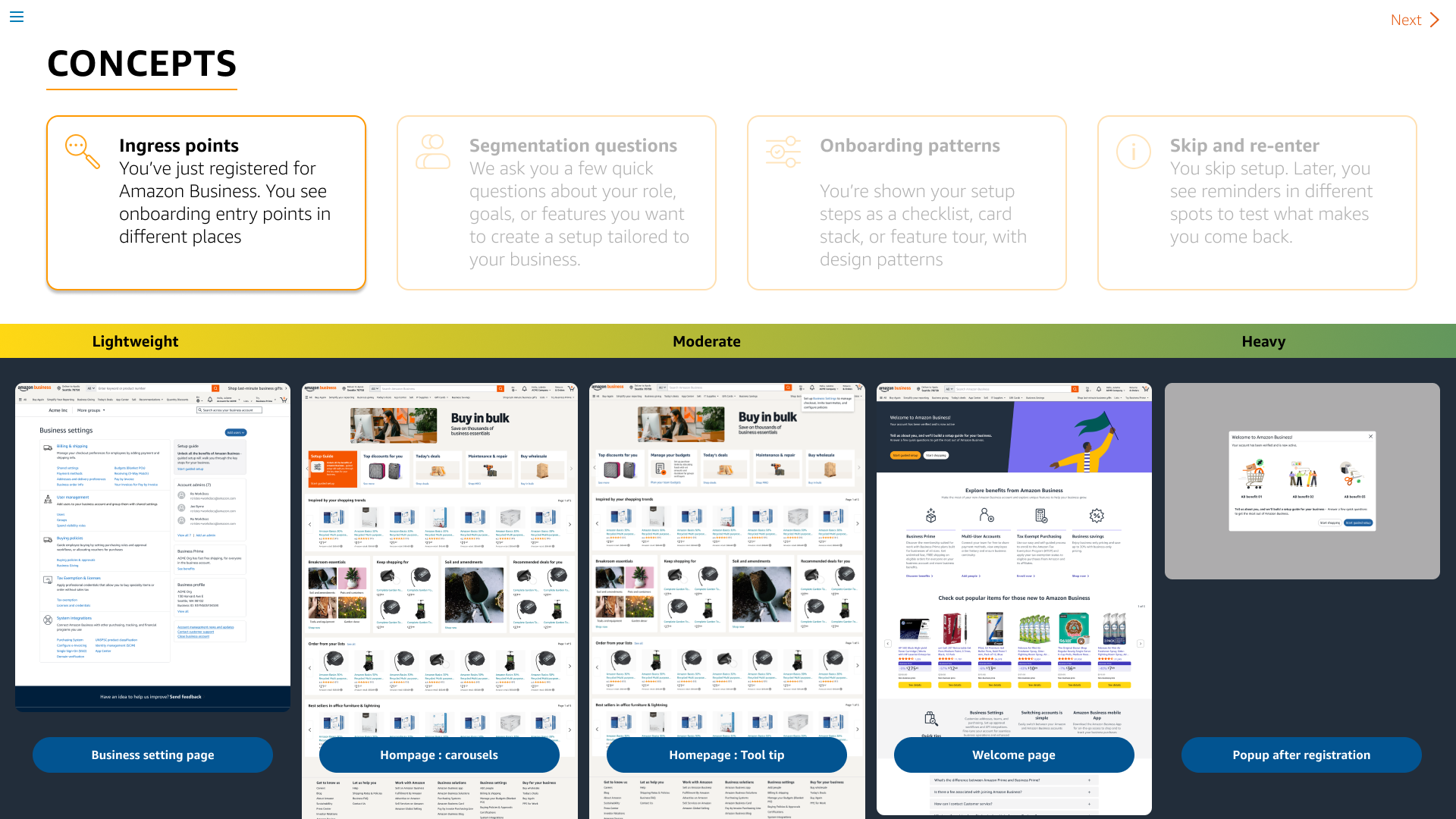
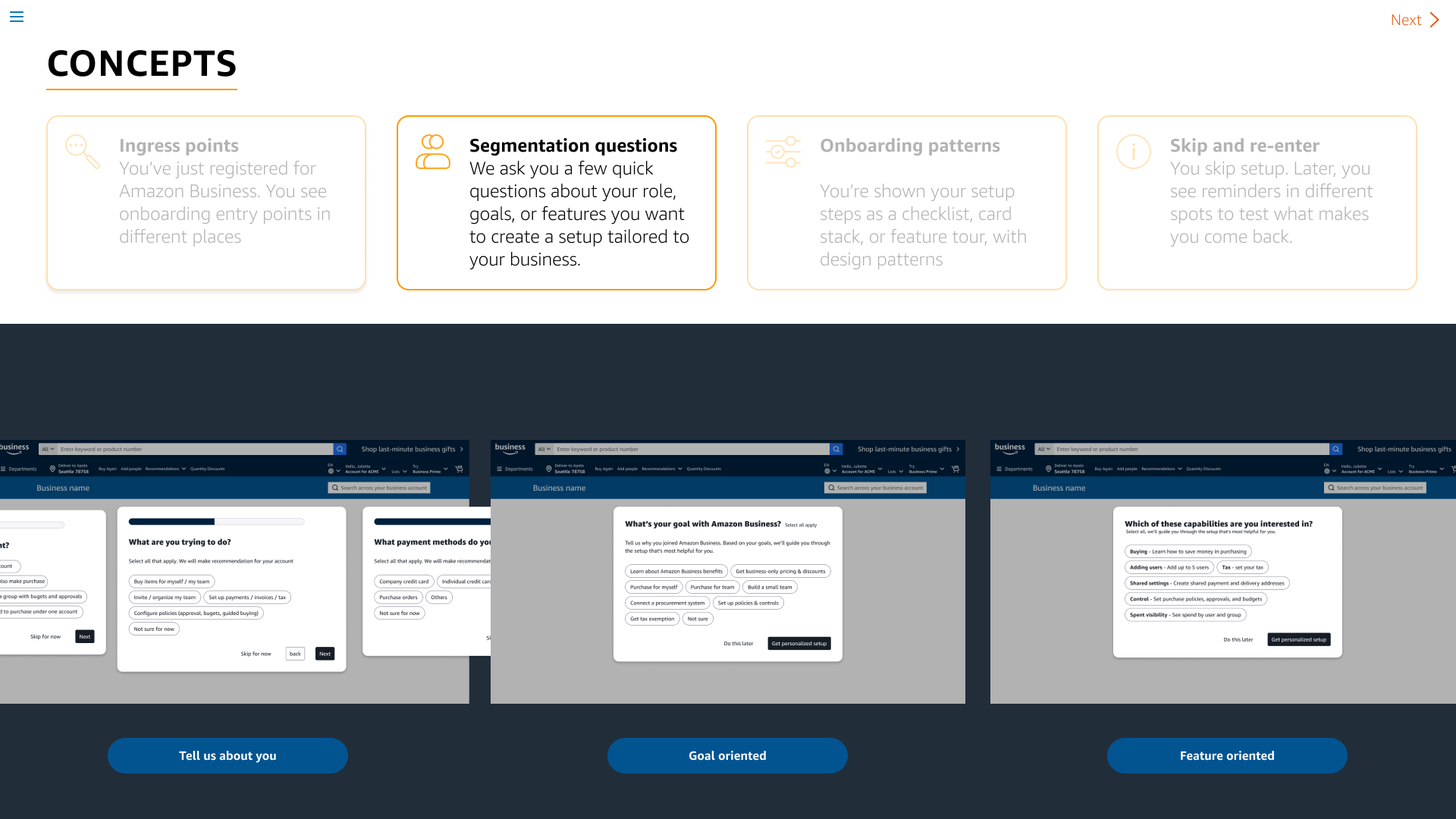
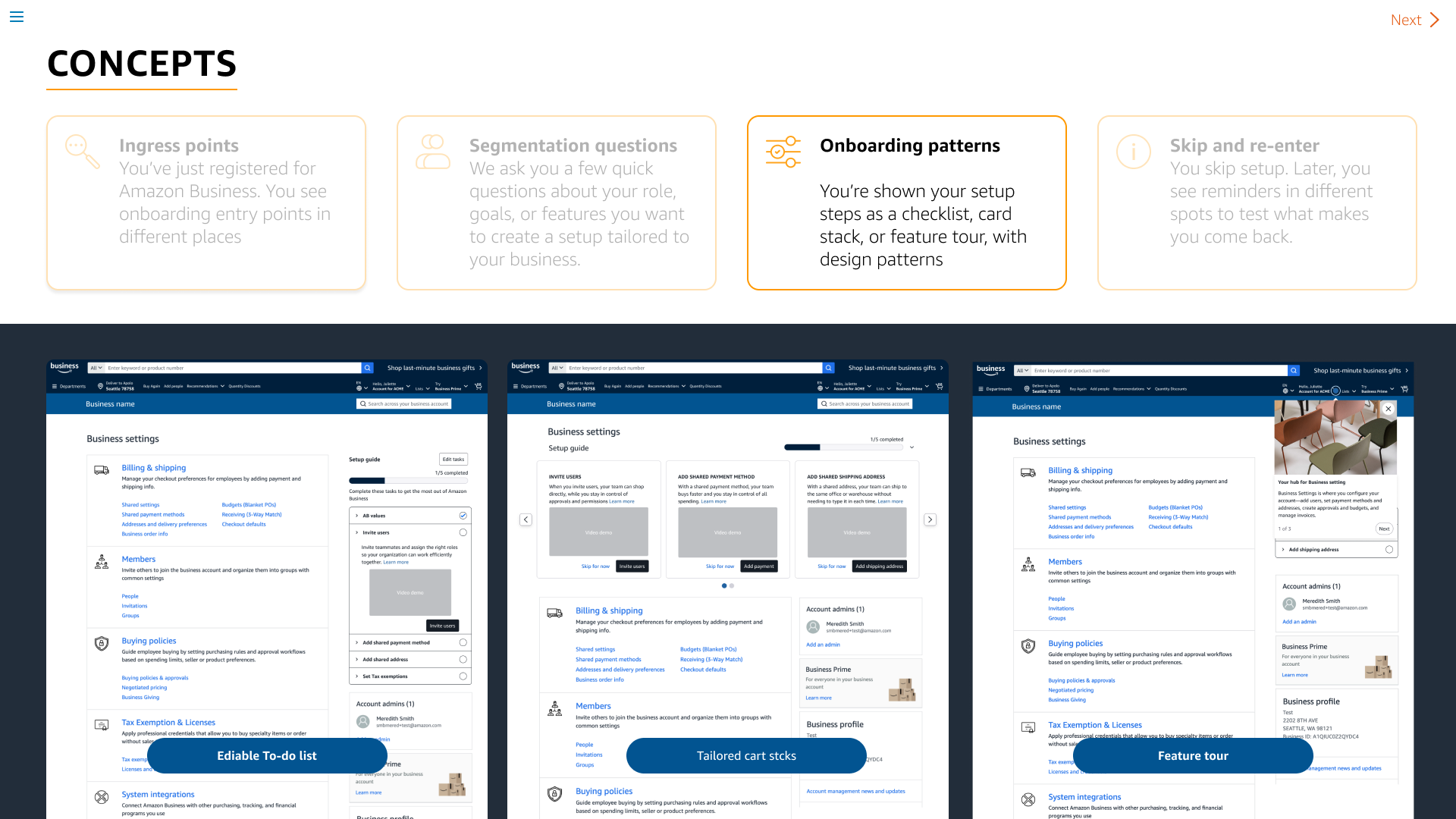
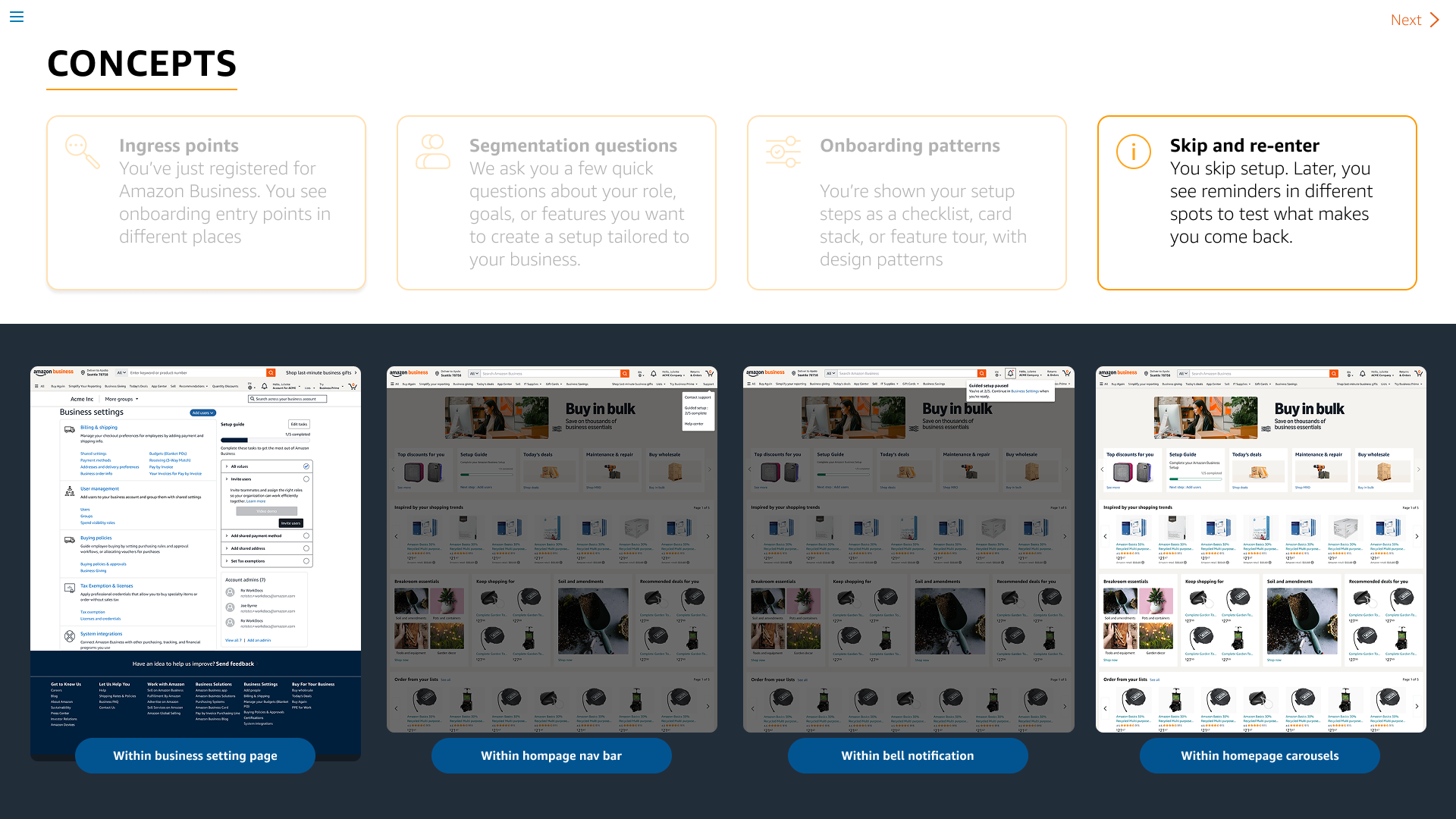
Four directions I tested with customers - ingress points, segmentation questions, onboarding patterns, and skip-and-re-enter - each rendered as a different UI treatment to find how much structure setup actually needed.
04 - Pivot 01 · Framework
A leadership review reset the ambition: Amazon Business set an AI-forward direction for onboarding. My job was to shape it into an AI-assisted approach - not AI-first. The goal wasn't a chatbot. It was to take work off the administrator: use the context we already have, recommend the right setup, draft where we're confident, and keep the customer in control of the changes that matter.
To customers, onboarding is one journey; internally, it spans multiple teams and product surfaces. I co-created a shared interaction framework with our AI framework lead so teams could build independently without making the experience feel fragmented.
Use AI where it reduces real setup work, not simply because the model can generate an answer.
Use known business context first. Ask customers to confirm what matters instead of reconstructing information we already have.
When configuration is consequential, generate a reviewable draft and let the customer approve the change.
As risk rises or confidence drops, the system should explain more and do less without explicit approval.
Planning, configuration, delegation, resume, and optimization should feel like one continuous setup experience even when different teams own the underlying capabilities.
| Level | Capability | AI behavior |
|---|---|---|
| L1 | Explain | Clarifies features, requirements, and tradeoffs. |
| L2 | Recommend | Suggests a path using known context and customer intent. |
| L3 | Draft & review | Creates a plan or configuration preview. |
| L4 | Apply | Executes an approved change on the customer's behalf. |
05 - Experience
I organized the experience around four moments—plan, configure, resume, and optimize—then separated the long-term capability model from the near-term release plan. That let us ship the simplest useful behavior first and add assistance as confidence and technical capability grew.
Confirm context, ask only what is necessary, and propose a setup plan.
Guide setup with contextual recommendations and reviewable drafts.
Preserve progress, restore context, and make the next action obvious when customers return.
After essential setup, surface relevant next-best actions without turning onboarding into an endless checklist.
The full vision couldn't ship at once. Working with engineering on feasibility, I put it on a single conversational surface - one familiar interaction that grows smarter underneath rather than a new screen per phase - so each release could reach customers early and teach us something before we built the next.
We shipped P0 and P1 before the full vision was complete, ramping from 1% → 5% → 20% → 50%. That gave us live behavioral data while I investigated the remaining product question: how much structure did customers actually need during setup?
I explored where task tracking should live relative to the assistant - three layout treatments, an in-context "next step" pill, and a full setup plan page - to find out.
Key insights · what both reads showed
While P0 and P1 were live, I ran a moderated usability study in parallel. This gave us two independent reads on the same question: what nine admins did in research, and what real customers did in the live experience.
Five SMB owners and four enterprise procurement admins, two iterative rounds.
Real new admins in the P0 / P1 canary, ramped 1% → 50%.
Research and live behavior pointed to the same conclusion: During setup, customers wanted structure first—and AI working inside that structure, not a conversation running the experience. That evidence drove the second pivot: lead with a guided structure now, then layer AI assistance back in over time.
06 - Pivot 02
The PM and I brought both signals to leadership and aligned on a new near-term direction: a guided wizard, tested alongside the existing chat rather than replacing it outright.
I translated the assisted vision into a full-page guided questionnaire that produces a personalized setup task list. Most of the underlying structure stayed intact; only the interaction model changed, with AI assistance sequenced to return around it over time.
With the direction reset to a guided wizard, I'm now exploring how it grows past first-run setup - delegating tasks to the right teammate, wiring up integrations, and surfacing the next best action once the essentials are done. These are in-progress explorations, not shipped flows.

Assign / delegateRouting setup tasks to the teammate who owns them, so onboarding isn't one admin's burden.
07 - Scale
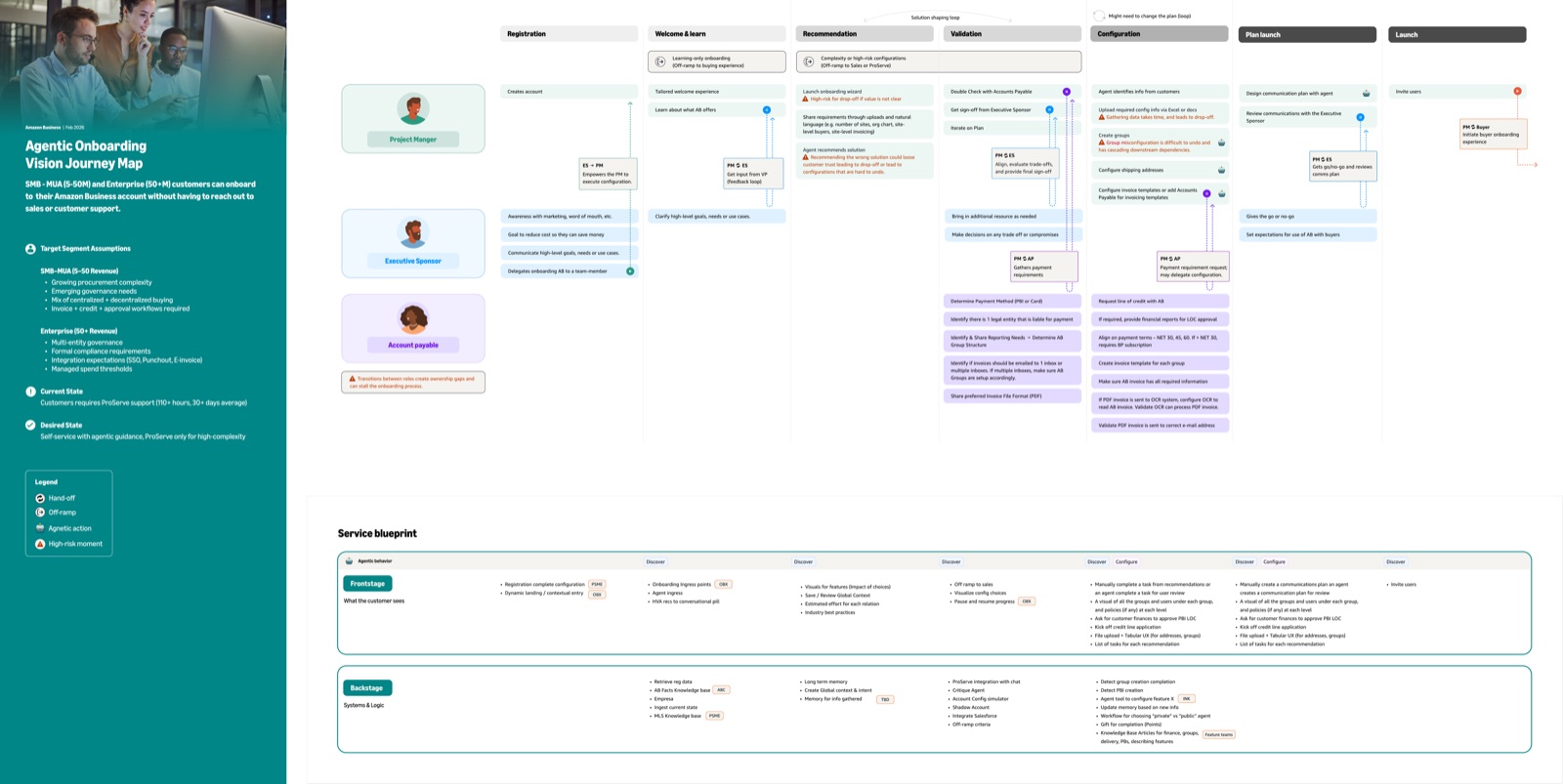
As the scope expanded into account setup, integrations, delegation, and post-setup optimization, I connected research, product signals, and multiple teams’ roadmaps into one end-to-end model teams could design against.

When research, experiment data, technical constraints, and roadmaps pointed in different directions, I made the decision points explicit and used prototypes to move the conversation from abstract debate to concrete tradeoffs.
The framework became a shared reference for adjacent flows, helping teams reuse planning, task, delegation, and AI-assistance patterns without rebuilding the interaction model from scratch.
08 - Outcomes
Because this initiative is still live, I separate measured product signals from projected business impact. The guided wizard is running head-to-head against the original chat experience, and early behavior strongly favors the structured path. Just as important, the team now has a clearer product direction grounded in research, live usage, and a working implementation.

09 - Reflection
When evidence changes, senior design work is making the tradeoff explicit, realigning the team quickly, and preserving the parts of the system that still hold.
Working prototypes closed product and technical questions faster because partners could react to actual system behavior instead of debating an abstract proposal.
The experience depends as much on when the system asks, recommends, drafts, acts, or stays quiet as it does on the model’s raw capability.